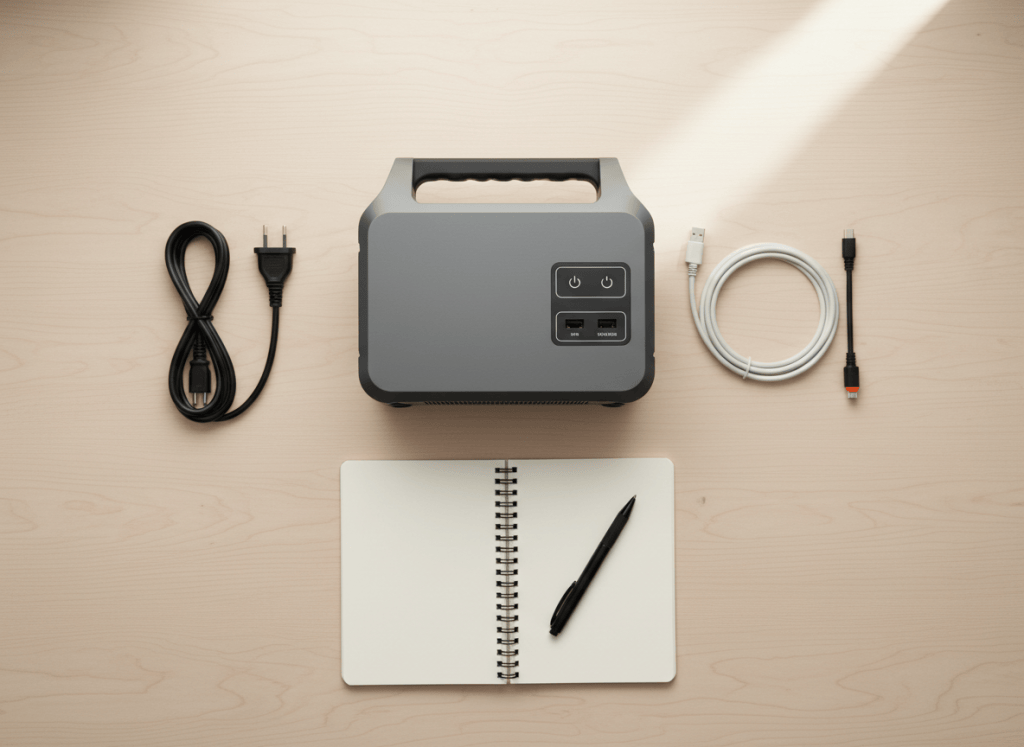
Quick answer: the two numbers that matter most are capacity in watt-hours (Wh), which decides how long things run, and continuous output in watts  , which decides what you can run. After that, check surge (for motors and compressors), charging speed (wall and solar) and UPS switchover if you want automatic backup. Everything else is detail for specific uses.
How we wrote this: explanations are ours; example figures come from official manufacturer specifications for models we’ve analyzed (and Jackery’s published specs as listed by retailers). We haven’t tested these units hands-on. See How We Test.
The spec sheet at a glance
| Spec | What it means | Real example | What to look for |
|---|---|---|---|
| Capacity (Wh) | How much energy the battery holds | 1,024 Wh (Anker C1000 Gen 2), 1,070 Wh (Jackery 1000 v2) | Enough for your longest typical outage or trip |
| Continuous output | The most it can power at once, indefinitely | 2,000 W (C1000 Gen 2) vs 1,500 W (Jackery 1000 v2) | Above the total of everything you’ll run together |
| Surge / peak | A brief burst for motor start-ups | 3,000 W on both | Matters for fridges, pumps, AC units, tools |
| Boost modes (X-Boost and similar) | Runs certain high-watt devices above rated output | EcoFlow lists up to 4,600 W on the DELTA 3 Ultra Plus | Useful for heaters or cookers; check which devices qualify |
| UPS switchover (ms) | How fast it takes over when the grid fails | <10 ms (EcoFlow), 10 ms (Anker), ≤20 ms (Jackery) | Lower is better for desktop PCs and routers |
| Battery chemistry and cycles | How many full charges before capacity fades | 4,000 cycles to 80% (Anker) vs 4,000 to 70% (Jackery) | LFP (LiFePO4); compare the end percentage too |
| AC charging (W / time) | How fast it refills from the wall | Full in 49 min at 1,600 W (C1000 Gen 2) | About 1 hour for 1 kWh is now normal |
| Solar input (W, V, A) | Maximum panel power and the voltage/current window | 600 W, 11–60 V (C1000 Gen 2); 2 × 800 W, 11–60 V, 18 A per port (Ultra Plus) | Enough watts for your panels; stay inside the voltage range |
| 12 V outputs | Car socket and high-current DC ports | Car socket 12 V 10 A; Anderson 30 A (378 W shared) on EcoFlow’s big units | 12 V fridges, RV gear |
| USB-C | Fast charging for laptops | Up to 140 W per port on current Anker and EcoFlow models | 100 W or more for laptops |
| Idle draw | Power used just to keep outputs on | 9 W (Anker C2000 Gen 2) | Low numbers matter for small, all-day loads |
| Charging temperature | The range in which it will charge | 32–104°F (Anker) vs 32–113°F (EcoFlow, Jackery) | Wider range for garages, cars and hot climates |
Watt-hours vs watts: the one distinction to get right
Think of a water tank. Watt-hours (Wh) is the size of the tank; watts is how wide the tap opens. A 1,024 Wh station with 2,000 W of output can run a 1,500 W kettle (the tap is wide enough), but only for about 35 minutes (the tank empties quickly). A 60 W laptop, by contrast, runs for about 12 hours.
Runtime (hours) = (Wh × 0.85) ÷ (device watts + 10 W)
- Why 0.85? Conversion losses and battery reserves mean you get roughly 85% of the rated capacity in practice. That’s our standard planning figure.
- Why +10 W? The inverter uses power just to stay on when you use the AC outlets.
- Example: a 50 W TV on a 1,024 Wh unit: 1,024 × 0.85 = 870 Wh; 870 ÷ 60 ≈ 14.5 hours.
Continuous, surge and boost output
Continuous output is the limit for everything running at once. Add up the watts of your devices; if the total is above the rating, the station shuts off or refuses the load. The Jackery Explorer 1000 v2’s 1,500 W, for example, sits exactly at the draw of a typical 1,500 W kettle, so that kettle must run alone.
Surge (peak) covers the split-second jump when a compressor or motor starts. It matters for refrigerators, freezers, pumps and air conditioners, not for laptops or lights.
Boost modes such as EcoFlow’s X-Boost let some high-watt appliances run above the rated output. EcoFlow gives examples like clothing steamers and electric frying pans. Don’t count on them for motors or electronics; check the maker’s list.
Battery chemistry and cycle ratings
Nearly every current model uses LFP (LiFePO4) cells, rated for thousands of cycles. Read the full rating, not just the number: Anker rates the C1000 Gen 2 at 4,000 cycles to 80%+ capacity; Jackery rates the Explorer 1000 v2 at 4,000 cycles to 70%+. Same headline number, different finish line. For most home-backup users, who cycle the battery a few dozen times a year, both will outlast the warranty. More in LiFePO4 vs lithium-ion.
UPS: what the milliseconds mean
When the station is plugged into the wall and your devices into it, it passes grid power through. If the grid fails, it switches to battery. The switchover time, around 10–20 ms on current models, decides whether sensitive devices notice. Routers and laptops usually ride through; some desktop PCs may restart if the switch is too slow. A dedicated online UPS has essentially no switchover. Details in power station vs UPS for a home office.
Charging specs: wall, solar and car
- AC input: a standard U.S. 15 A outlet supplies about 1,800 W, so big units can’t charge much faster from one outlet. That’s why 2–3 kWh models take closer to 1.5–2 hours.
- Solar watts: the maximum the station accepts. Panels usually deliver about 75% of their rating, so plan panel watts accordingly.
- Solar voltage range (e.g., 11–60 V): panels wired in series add their voltages. Stay under the maximum, including the panel’s cold-weather open-circuit voltage (Voc).
- Solar amps (e.g., 18 A per port): panels wired in parallel add their currents; stay under this limit.
- Car input: usually 12 V at 8–10 A, roughly 100–120 W. Slow. Alternator chargers (800–1,000 W) are the fast option.
Times for every method: how long does it take to charge a power station.
Ports: what each one is for
| Port | Typical rating | Use it for |
|---|---|---|
| AC outlets (120 V) | 15–20 A per outlet; total limited by continuous output | Fridges, CPAP power supplies, TVs, kitchen appliances |
| TT-30 (30 A RV) | 120 V, found on some larger units | An RV’s 30 A shore cord |
| USB-C PD | 45–140 W | Laptops, tablets, phones (no inverter losses) |
| USB-A | 12–18 W | Older phones, small gadgets |
| 12 V car socket | ~120–126 W (10 A) | 12 V fridges, tire inflators |
| Anderson / high-current DC | Up to 30 A | RV 12 V systems, larger 12 V gear |
Using DC ports (USB-C, 12 V) instead of AC skips the inverter, which saves energy for small devices. Real examples with a TV, router and game console: can a power station run a TV, Wi-Fi and game console.
The less obvious numbers
- Idle draw: a few watts sound trivial, but 9 W is about 216 Wh a day. For a chest freezer averaging 28 W, the inverter can be a quarter of the total. See power station for a chest freezer.
- Charging temperature: most units won’t charge below 32°F; the upper limit varies (104°F vs 113°F), which matters in hot garages and cars.
- Noise (dB): makers quote low figures (Anker: 20 dB under 200 W; EcoFlow: about 25 dB on the Ultra Plus); fans get louder under heavy loads and fast charging.
- Expansion: some units accept extra batteries (the DELTA 3 Plus to 5 kWh, the Ultra Plus to 11 kWh); others, like the C1000 Gen 2 and Jackery 1000 v2, don’t.
- Warranty: often split into a base term plus an extension for registering, such as Jackery’s and EcoFlow’s 3 + 2 years.
Three real-world scenarios
1. “Can it run my kettle and fridge together?”
Check continuous output. A 1,500 W kettle plus a fridge drawing about 150 W while its compressor runs is roughly 1,650 W. A 2,000 W unit handles it; a 1,500 W unit doesn’t. Capacity barely matters here: the kettle only runs for a few minutes.
2. “Will it keep my fridge going overnight?”
Check capacity. An average fridge averages about 62.5 W; with the inverter, 72.5 W. A 1,024 Wh unit gives about 870 ÷ 72.5 ≈ 12 hours. Then check UPS so it switches over while you sleep. See best power stations for a refrigerator.
3. “I want to add solar later”
Check solar watts and the voltage range. With a 600 W, 11–60 V input, two 200 W panels in series usually fit; a third might exceed 60 V on a cold morning. Match panels to the input before buying. See how many solar panels you need.
Common mistakes when reading a spec sheet
- Confusing Wh and W. A “2,000” on the box could be either; read the unit.
- Treating surge as continuous. A 3,000 W peak doesn’t mean it runs 3,000 W of devices.
- Comparing cycle counts without the end percentage. “4,000 cycles” to 80% and to 70% aren’t the same.
- Expecting full rated capacity. Plan on about 85%.
- Ignoring solar voltage. Too many panels in series can exceed the input limit.
Frequently asked questions
What’s more important, Wh or W?
Both, for different questions. W decides whether a device can run at all; Wh decides for how long. Check W first, then size Wh to your outage or trip.
Do I need pure sine wave output?
Yes, for compressors, motors and sensitive electronics. The models we review list pure sine wave AC; check the spec sheet on anything cheaper.
Why is the usable capacity lower than the label?
Converting battery DC power to 120 V AC loses energy as heat, and the electronics keep a small reserve. That’s why we plan with about 85%.
Is a faster UPS switchover worth paying for?
Only if you’ll run a desktop PC or network gear through it. For fridges, lamps and phones, any current UPS figure is fine.
Which size should I buy?
Use our 4-step sizing guide, or compare 1 kWh vs 2 kWh.
The bottom line
Start with continuous watts (what you can run) and watt-hours (how long). Then check surge for motors, charging speed for how fast you recover, UPS for automatic backup, and the smaller numbers only if your use needs them. To see these specs applied, read our Jackery vs Anker SOLIX comparison or the DELTA 3 Ultra Plus review.
Sources
- Anker SOLIX, C1000 Gen 2 and C2000 Gen 2 (official).
- EcoFlow, DELTA 3 Ultra Plus, DELTA 3 Ultra FAQ and DELTA 3 Plus (official).
- Jackery Explorer 1000 v2 specifications as published by TechRadar and a retailer listing.

